
Room
Room is the floor screen. It has three tabs: Calls, Orders and Tables. Everything updates live while the connection is up, so you do not need to reload the page during service.
The Calls tab lists every table that has called for help, with the number of calls and how long the first one has been waiting.
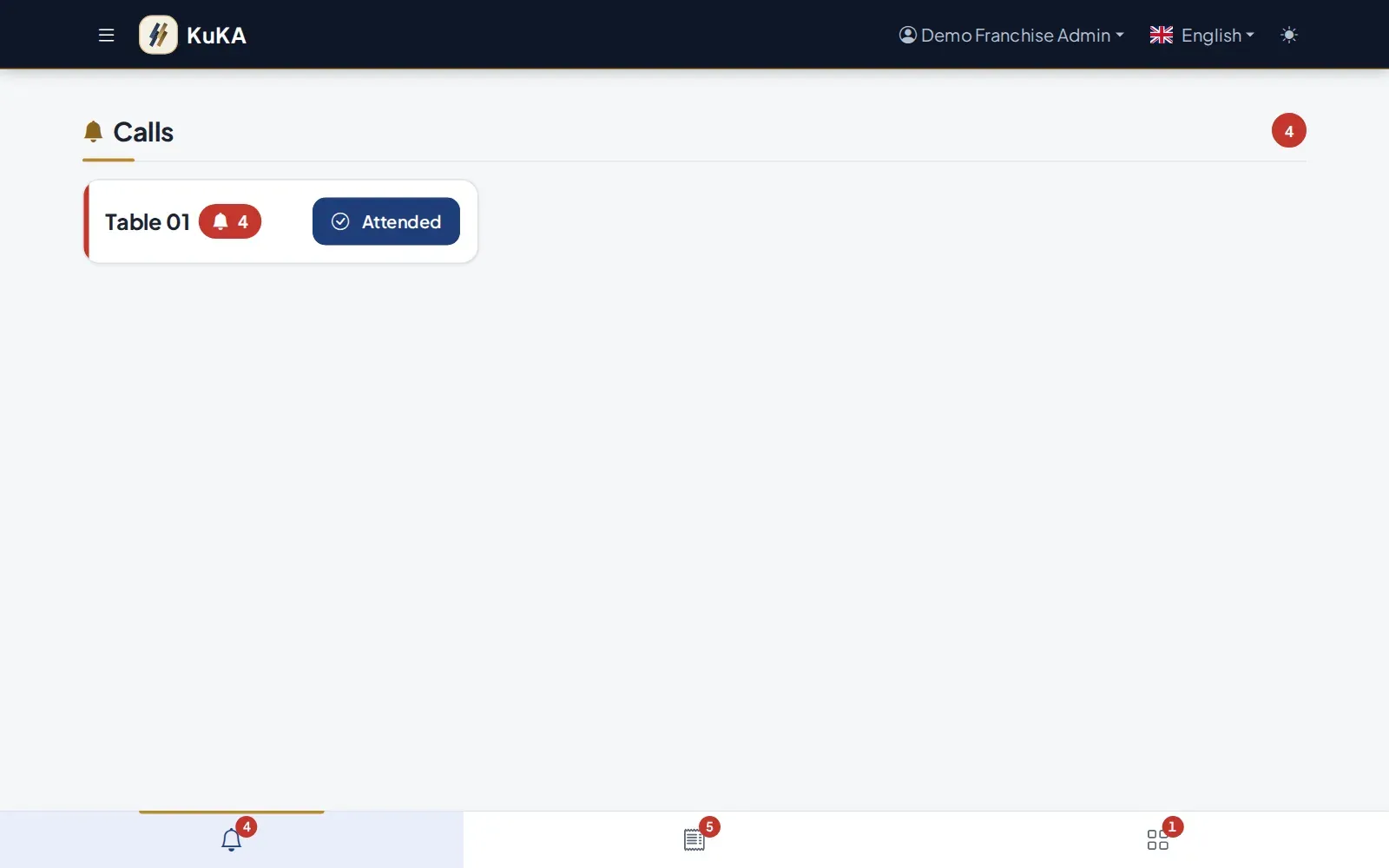
Go to the table, deal with the request, then select Attended. That clears all calls for the table so the rest of the team sees it is handled. Attending a call does not change any order or payment.
Orders
Section titled “Orders”The Orders tab lists the orders that are still in progress, with the table, order number, age and per-line state. An order is highlighted as delayed after 10 minutes.
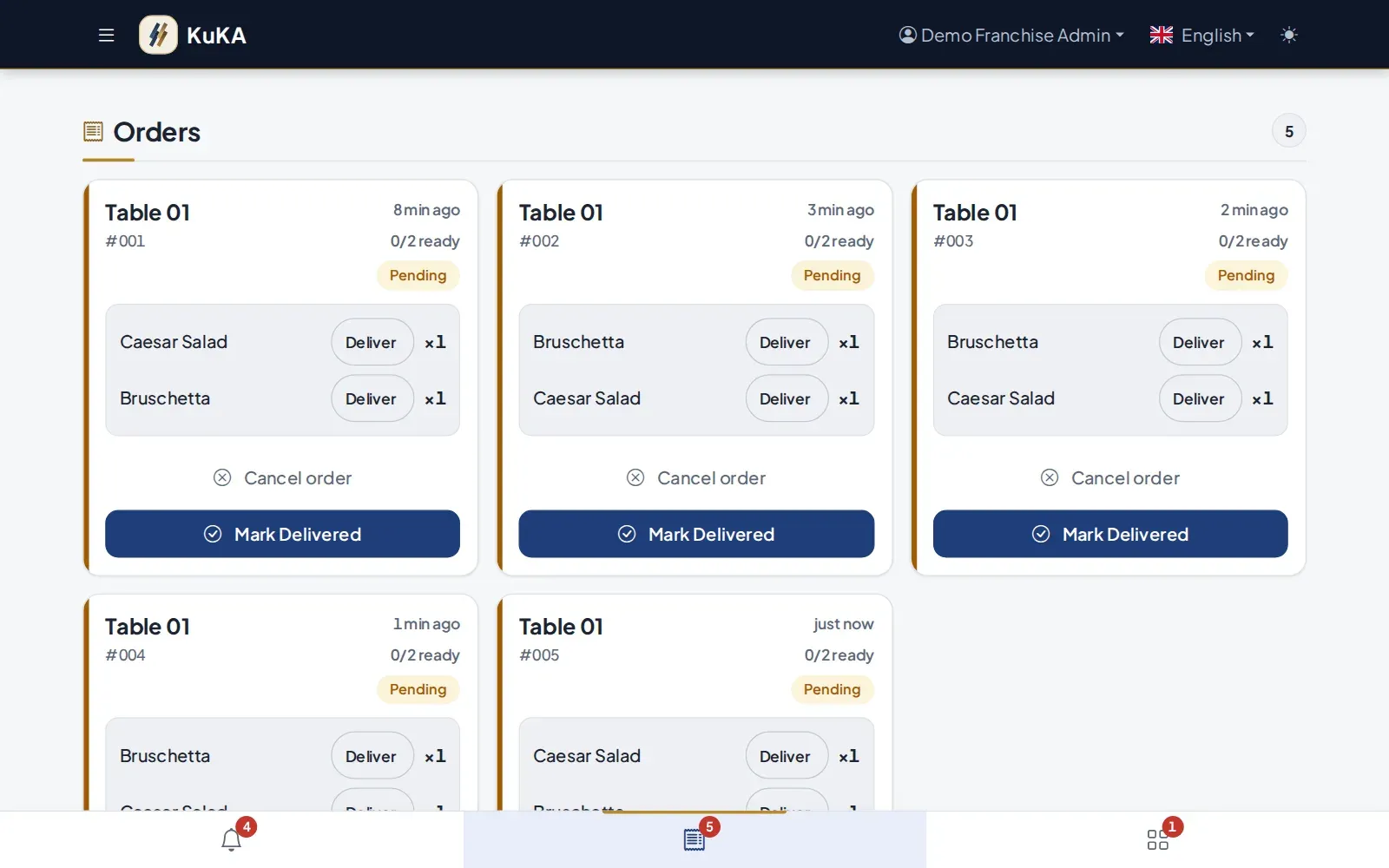
When the food reaches the table, select Mark Delivered on the order, or Deliver on a single line. If something cannot be served, select Cancel order to cancel the whole order; unpaid lines are cancelled with it. The action cannot be undone.
Tables
Section titled “Tables”The Tables tab lists every open table with its guest tabs, lines and total. Each guest tab is shown separately, so you can see who ordered what.
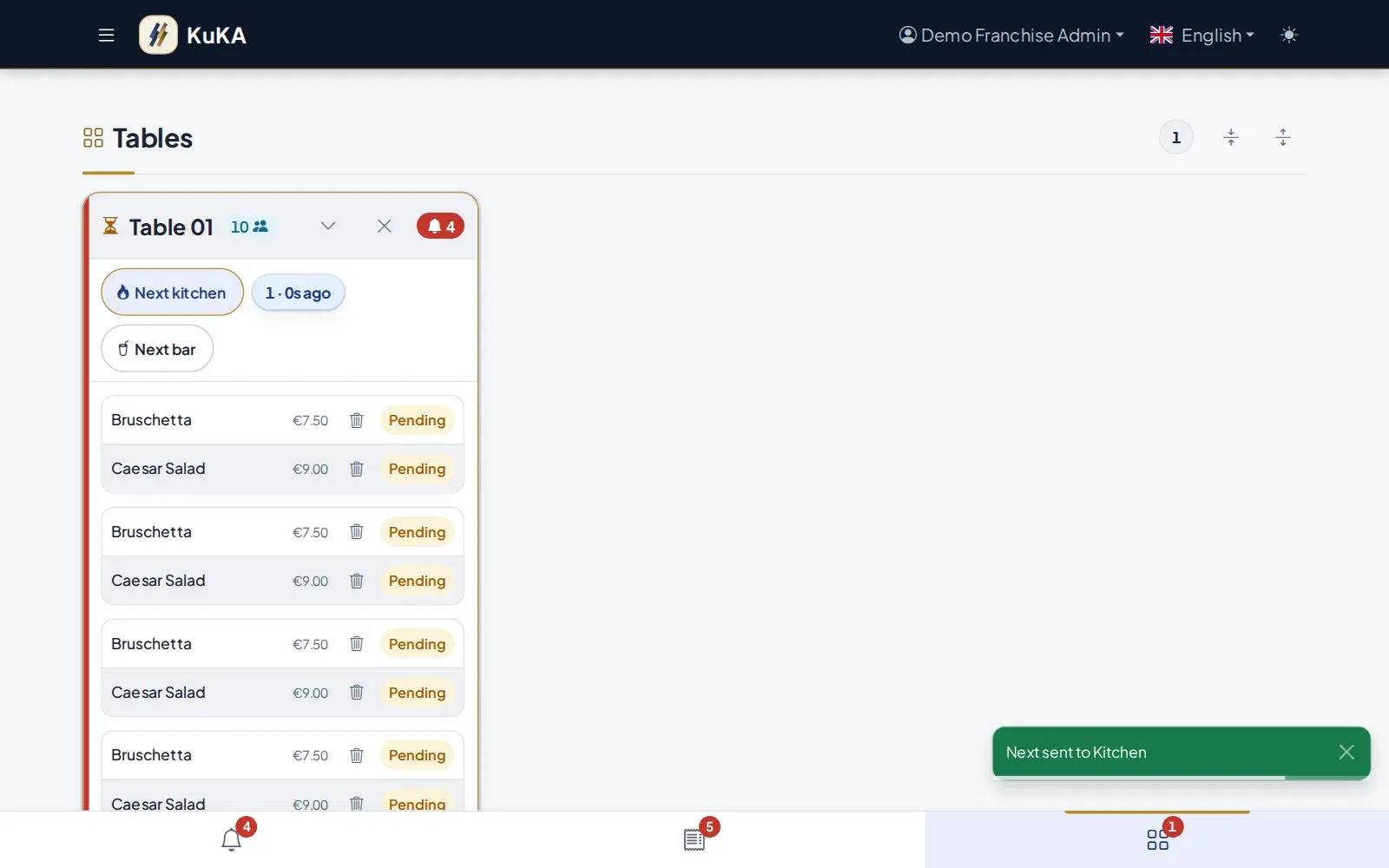
For each line you can:
- Mark it paid when the guest has paid for it.
- Mark every unpaid line paid at once when the whole tab is settled.
- Cancel a single unpaid line, or cancel all unpaid items at the table.
- Check that every guest tab is fully paid or cancelled.
- Select Close Tab. KuKA refuses while anything is still unpaid.
- Send the party on its way and clear the table.
- Select Reset Table before the next party sits down.
Reset archives the old tab, creates a fresh one and clears the guests, the calls and the Next signals for that table. A closed table does not accept new guests, so always finish with Reset Table.
The Next signals
Section titled “The Next signals”The table cards also carry Next kitchen and Next bar. They tell a station to go ahead with the next part of the meal. See Next for what the station sees and what clears the signal.