
Franchise settings
The franchise is your business in KuKA. Its settings apply to every restaurant in it, so set them once and check them before you build your menus.
Edit the franchise
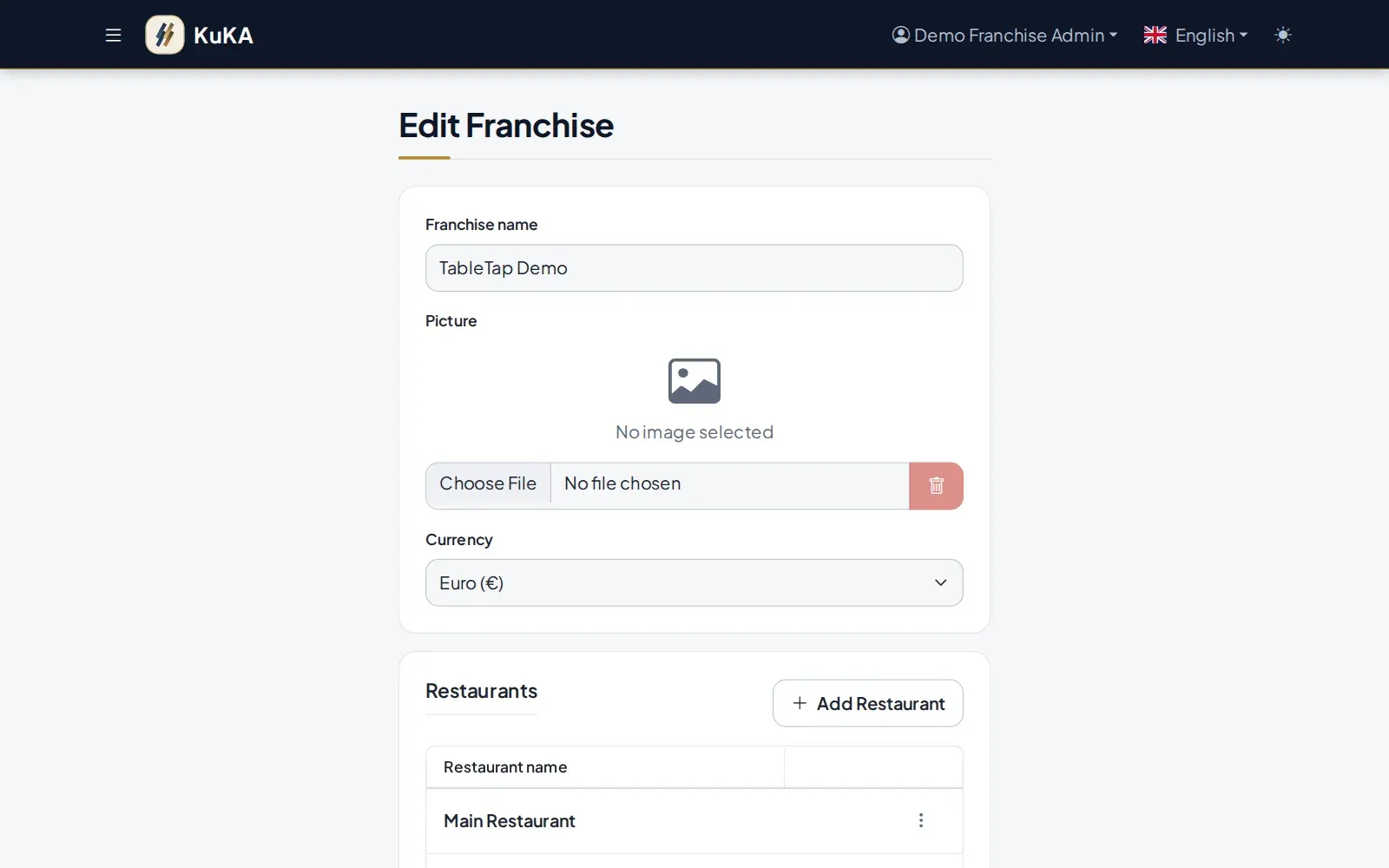
Section titled “Edit the franchise”Open Franchises in the backoffice, choose your franchise and select Edit. You can change:
- Franchise name, the name your team sees.
- The logo image. Select a JPEG, PNG, GIF or WebP file, see the preview and use the remove button if you want to take it out.
- Currency: Euro, US Dollar or Brazilian Real.
Select Update to save.
What lives at franchise level
Section titled “What lives at franchise level”These settings and records belong to the whole franchise:
- The franchise name, logo and currency.
- The accounts that can sign in, including their roles and restaurant access.
- The billing subscription and its invoices.
- Franchise-wide menu items, which are available to every restaurant in the franchise.
What lives at restaurant level
Section titled “What lives at restaurant level”Each restaurant has its own:
- Menus and the prices on them.
- Tables and their QR codes.
- Time zone.
- Restaurant-only menu items, visible only in that restaurant.
Menus always belong to one restaurant. There is no franchise-wide menu, so a new restaurant starts with an empty menu list until you create menus for it.
One price list or several
Section titled “One price list or several”A franchise-wide item has one price for every restaurant. That is convenient when all your locations sell the same dish at the same price. When one location needs a different price, create a restaurant-only item for that location instead. Both choices are explained in Menu items.