
Menu items catalog
The item catalog is the pool of everything you sell. Menus are built from this pool, so create your items first and then add them to the menus that use them.
Open Menu Items from the backoffice menu, or use Menu item catalog from a restaurant page.
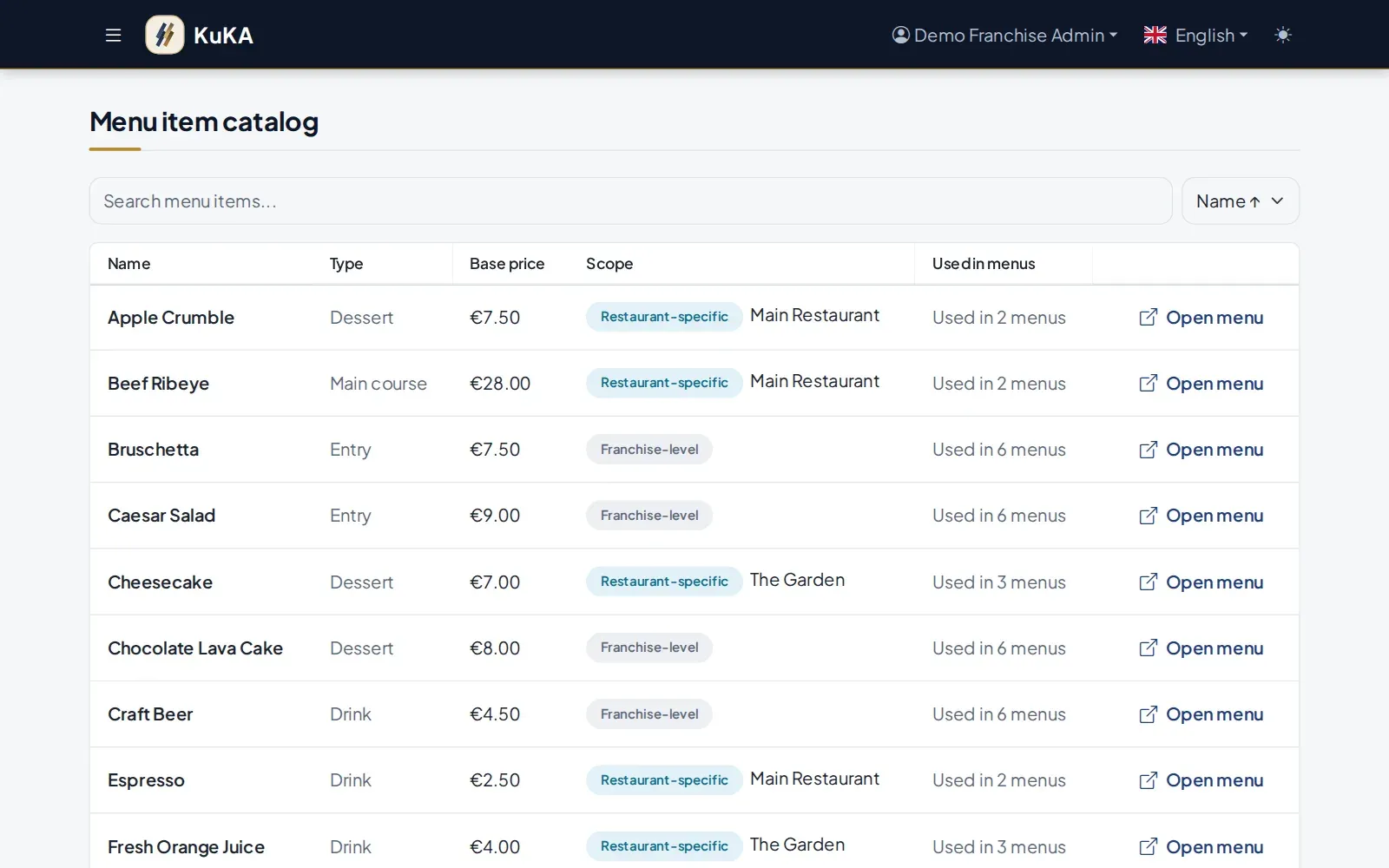
Franchise-wide and restaurant-only items
Section titled “Franchise-wide and restaurant-only items”Every item has a scope:
- Franchise Level items are available to every restaurant in the franchise. They are handy for a dish you sell everywhere.
- Restaurant Level items are available only in one restaurant. Create them for a local special or a location-specific price.
An item at either scope is not on a menu until you add it. Availability in the pool does not mean the guest can see it.
One item, one set of details
Section titled “One item, one set of details”Each item has one price, one image and one set of allergens. There are no per-location overrides.
That means editing a Franchise Level item changes its price and details everywhere it is used. If you want a different price in one location, do not edit the shared item. Create a Restaurant Level item for that location and add it to the menu there. The shared item stays as it is for the other restaurants.
Used in
Section titled “Used in”The catalog shows Used in menus for every item, with a count and a link to the menus. Use it before you edit or delete an item. A shared item can sit on several menus, and an item that is on any menu cannot be deleted. Remove it from the menus first.
Room to grow
Section titled “Room to grow”The catalog is also where new items start. From the catalog you select Create Menu Item; from a menu editor you can create an item and add it to the menu in one go. Both routes end in the same list, so a new item is available to every menu that can see its scope.