
Send feedback
Feedback goes straight to the KuKA team. Use it for a bug, an idea or anything else that does not fit those two.
Send feedback from the app
Section titled “Send feedback from the app”- Sign in and open Feedback in the menu.
- Choose a Category: Bug, Idea or Other.
- Give a rating with How are we doing? if you want to. The choices run from Not great to Mind-blowing.
- Write your message in Your thoughts.
- Select Send.
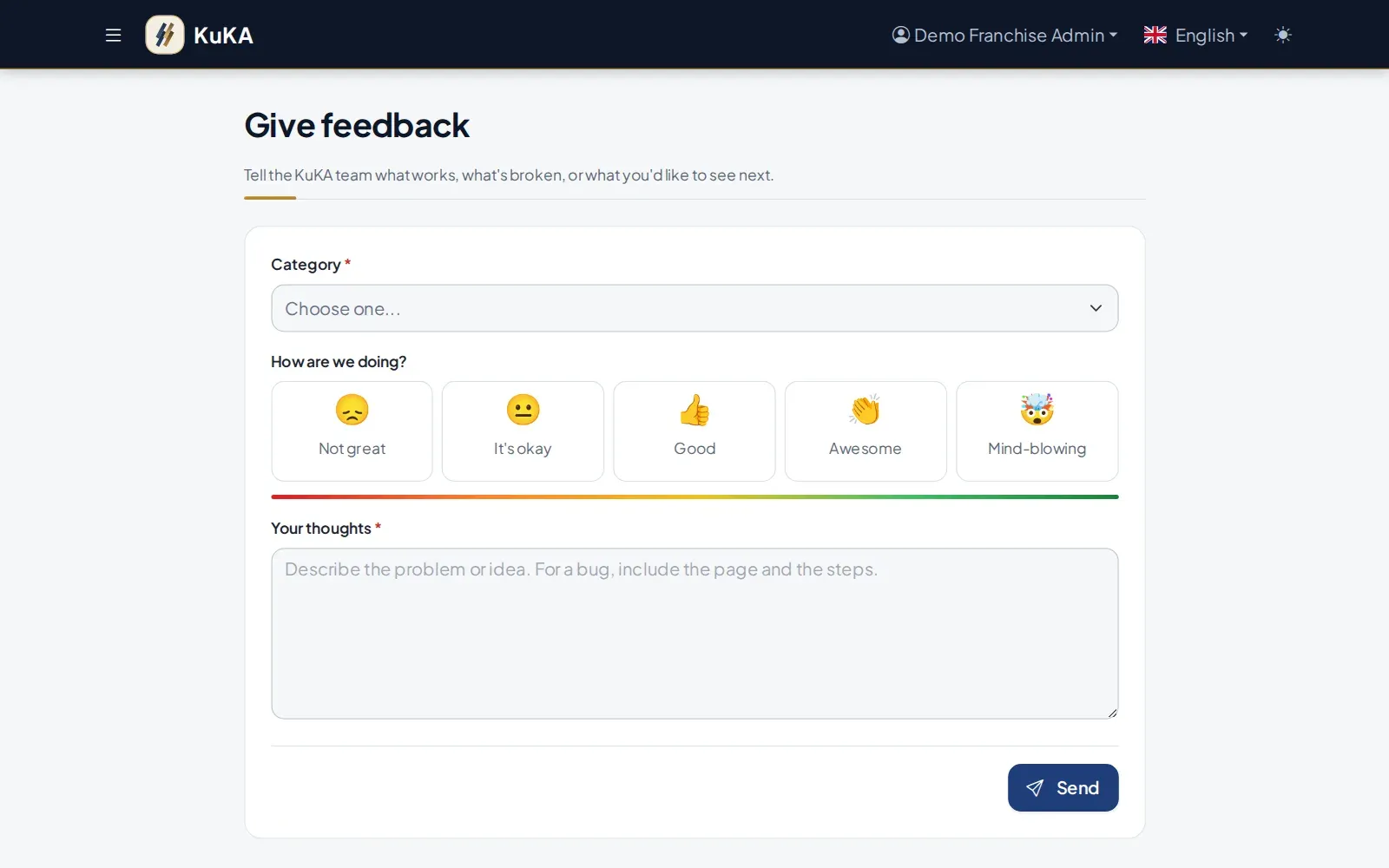
The message can be up to 2000 characters. When it is sent, the page confirms that it reached the KuKA team.
Make a bug report useful
Section titled “Make a bug report useful”For a Bug, include the page you were on and the steps that led to the problem. If an order, a payment or a table was involved, add the table name and the time. A short, specific report is much easier to act on than “it does not work”.
For an Idea, describe the problem you want solved rather than only the feature you imagine. That helps the team understand the need.
There is no inbox for feedback inside your franchise. Only the KuKA team sees what you send.
What happens next
Section titled “What happens next”The team reads feedback in batches and groups it by theme. A clear bug report may become a fix; an idea may shape a future release. You will not get a personal reply to every message, so do not use feedback for anything urgent.
Keep guest personal data out of the message. Describe the table and the order instead of naming the person, and never paste a password or card number.
How it differs from support
Section titled “How it differs from support”Feedback is a product channel. Support is a service channel. If your question is about your account, a payment or a blocked service, use support@getkuka.com so it reaches the people who can act on it today.