
Call staff
Guests can call a member of staff from the order page and from their tab. The call appears in Room on the Calls tab, with the table and a count.
Ask for help
Section titled “Ask for help”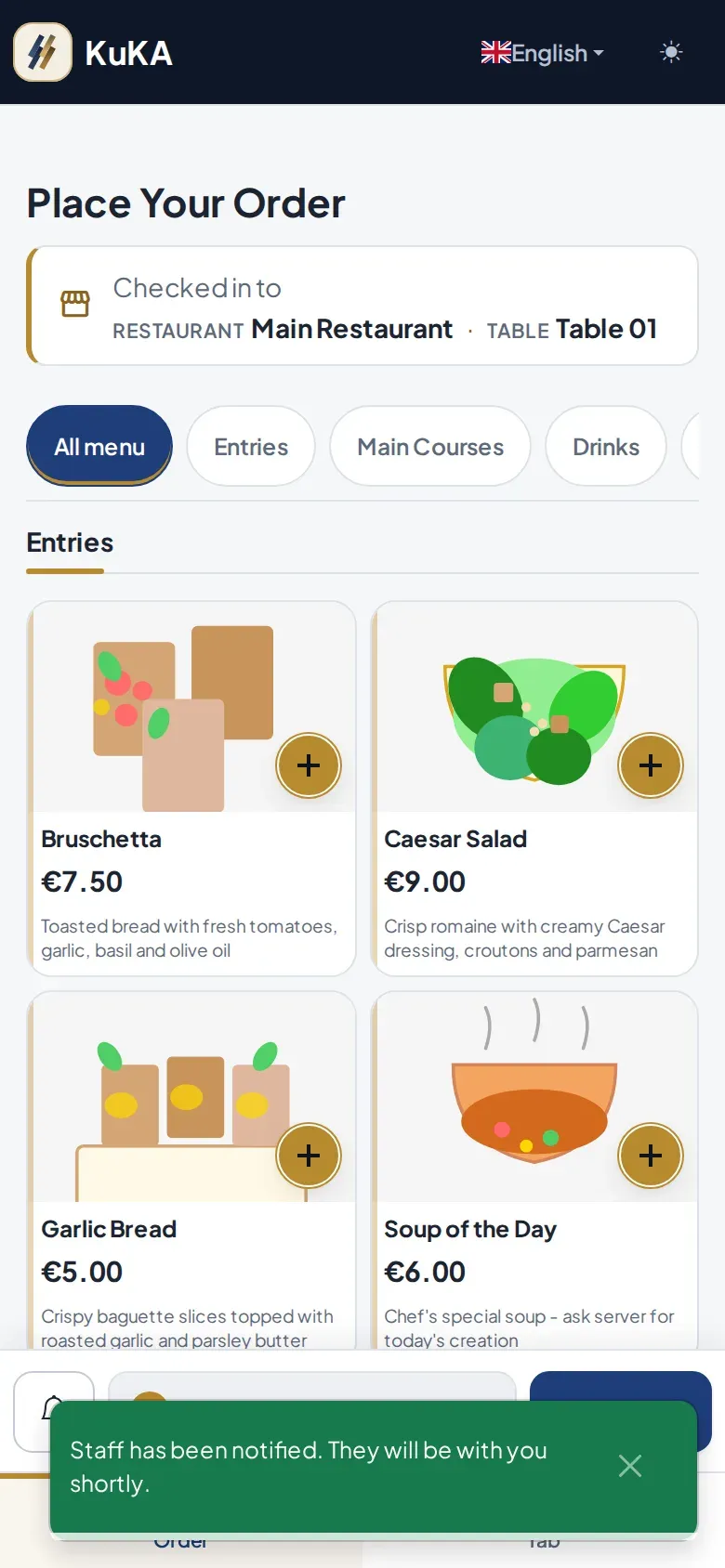
The guest selects Call Staff. KuKA confirms that the team has been notified. Staff see the table and the number of calls, and mark them Attended when someone has been to the table.
Pressing the button again increases the call count for the table. If several guests at the table press it, the count goes up, which tells the floor that the table is waiting. The call stays visible until someone marks it attended; it does not time out and it has no sound.
Asking for the bill
Section titled “Asking for the bill”There is no separate bill request button. A guest who wants the bill uses Call Staff in the same way and asks for the bill when a member of staff arrives.
When staff have attended
Section titled “When staff have attended”On Room, open the Calls tab and select Attended for the table. That clears the calls for the table, so the rest of the team knows someone has dealt with it. Acknowledging a call does not affect the orders or the tab.
If the live connection is down, the guest can still see the button, but the call needs a connection to reach the staff. The guest can try again when the connection returns.